Step 1
Download the Browser
- Visit the OnlyMonster website’s Download page.
- Download the appropriate installer for Windows.

OnlyMonster Browser
OnlyMonster Browser is a desktop application compatible with macOS and Windows. Installing this application is essential to gain full access to the platform’s features, including the OnlyMonster interface and added accounts. This article provides a detailed setup guide for installing the OnlyMonster browser on Windows and MacOS.
To ensure optimal performance, your system should meet the following specifications:
Step 1
Step 2
.exe file.Step 3
.exe file.Step 4
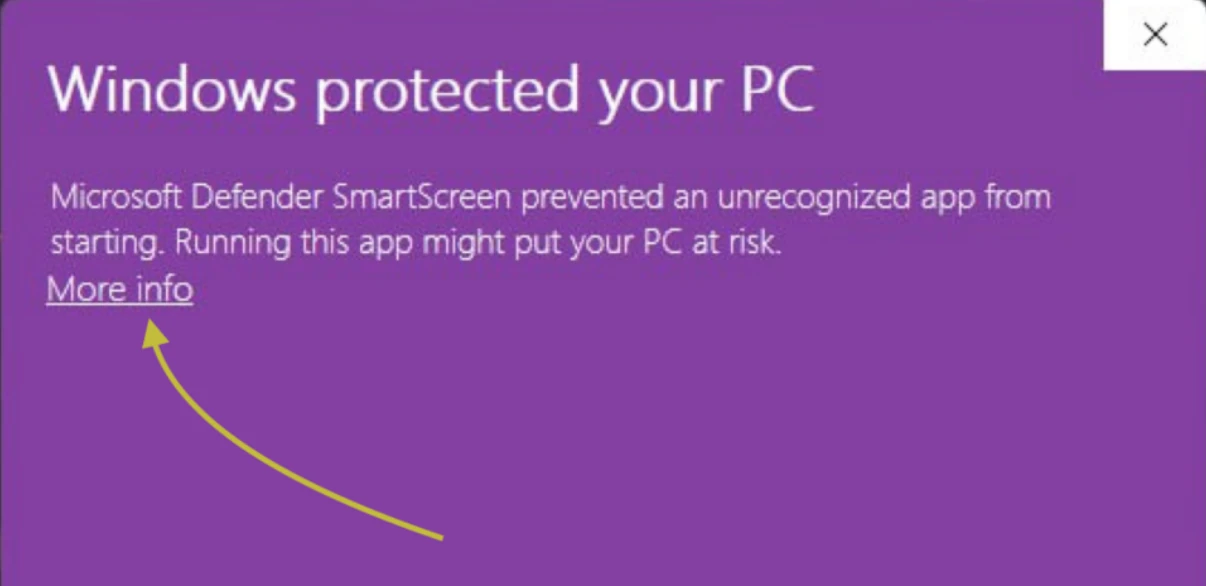
If a security alert appears, click “Run Anyway”.

Step 5
Ensure that no firewall or antivirus software is blocking the app.
Step 6
Double-click the OnlyMonster browser icon on your desktop to open it.
Step 1
Step 2
.dmg file.Step 3
.dmg file to open it.Step 4
Step 5
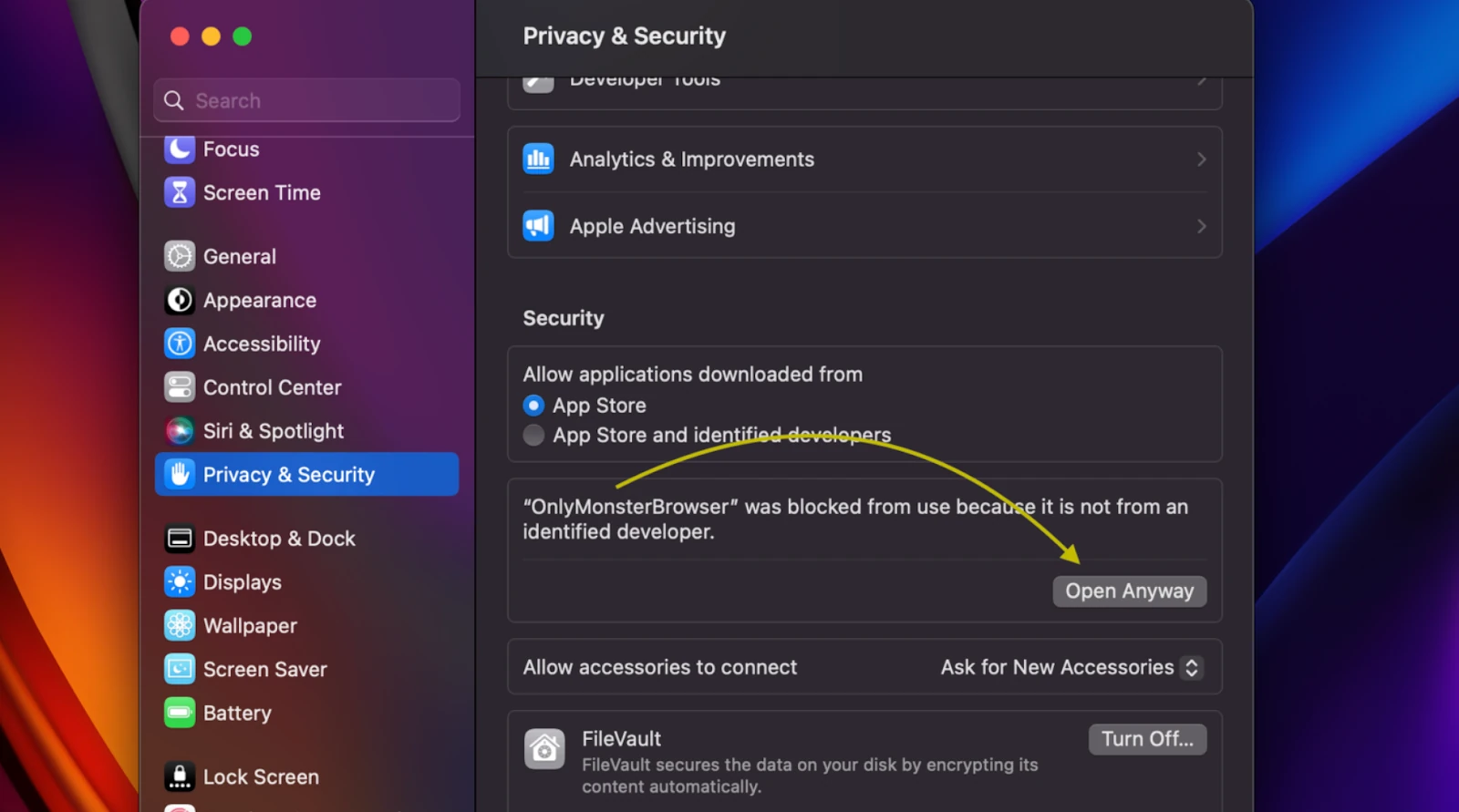
Ensure that no firewall or antivirus software is blocking the app.
Step 6
Double-click the OnlyMonster browser icon on your desktop to open it.
Once installation is complete, open OnlyMonster and log into your account. The left sidebar will allow you to easily switch between the OnlyMonster interface and creator accounts.
If the OnlyMonster Browser doesn’t run after installation, check that your system meets the requirements above and that security settings allowed the app to open.